
Excel Automation: What It Involves and What It Means for Your Business
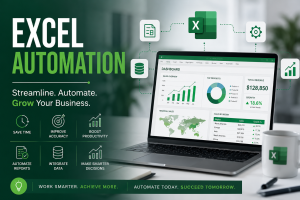
Excel Automation is there for you because Excel Is More Than a Spreadsheet
Excel automation makes Excel do more for your business, saving time increasing efficiency and accuracy and allowing you to focus on productivity. For many businesses, Microsoft Excel is simply a tool for entering data, performing calculations and creating reports. However, modern Excel has evolved into a powerful automation platform capable of streamlining processes, reducing manual work and improving decision-making.
Excel automation involves using Excel’s advanced features and capabilities to automate repetitive tasks, integrate data from multiple sources, generate reports automatically and support business processes with minimal human intervention. When implemented correctly, Excel automation can significantly improve productivity, accuracy and operational efficiency.
The reality is that many organisations spend countless hours performing manual activities that could easily be automated. Employees often copy and paste data between systems, manually prepare reports, update dashboards and perform repetitive calculations. These activities consume valuable time that could otherwise be spent on strategic and value-adding tasks.
What Is Excel Automation?
Excel automation refers to the use of Excel’s built-in tools and programming capabilities to perform tasks automatically with little or no manual intervention. Rather than repeating the same activities every day, businesses can create systems that automatically:
- Import and clean data
- Perform calculations and analysis
- Generate reports and dashboards
- Send notifications and reminders
- Update records
- Produce forecasts and projections
- Monitor key performance indicators
- Create invoices and statements
- Consolidate information from multiple files
- Trigger business workflows
The objective of automation is simple: allow employees to spend less time performing repetitive administrative work and more time focusing on analysis, customer service and strategic decision-making.
Key Components of Excel Automation
- Formulas and Functions
Excel’s powerful formulas can automate calculations that would otherwise be performed manually.
Examples include:
- Financial calculations
- Commission calculations
- Tax computations
- Loan amortisations
- Budget variances
- Inventory reorder levels
- Sales performance metrics
- Forecasting models
Functions such as XLOOKUP, SUMIFS, COUNTIFS, IF, IFS, EOMONTH, INDEX and MATCH can automate complex calculations and eliminate manual errors.
- Data Validation and Automated Input Controls
Data validation can automate data entry processes by:
- Restricting invalid entries
- Creating dropdown lists
- Standardising information capture
- Preventing duplicate records
- Reducing data entry errors
This improves data quality and minimises the need for data cleaning.
- Pivot Tables and Pivot Charts
Pivot Tables automatically summarise large datasets and transform raw information into meaningful insights.
Businesses can automatically analyse:
- Sales by region
- Customer trends
- Product performance
- Financial performance
- Employee productivity
- Operational efficiency
Pivot Charts further automate visual reporting and provide management with real-time insights.
- Dashboards
Excel dashboards automatically consolidate information from multiple sources and present it in an easy-to-understand visual format.
A dashboard can display:
- Sales performance
- Cash flow position
- Outstanding debtors
- Inventory levels
- Customer satisfaction metrics
- Project status
- Operational KPIs
Instead of manually producing management reports every week or month, dashboards update automatically when data changes.
- Power Query
Power Query is one of Excel’s most powerful automation tools.
It automates:
- Importing data from multiple files
- Data cleaning
- Combining datasets
- Removing duplicates
- Data transformation
- Standardising information
For example, an organisation receiving daily sales files from different branches can use Power Query to consolidate all files into a single report automatically.
Tasks that previously took hours can be completed in seconds.
- Macros and VBA
Macros and Visual Basic for Applications (VBA) enable Excel to perform entire business processes automatically.
Examples include:
- Generating invoices
- Producing monthly reports
- Sending email notifications
- Updating databases
- Creating contracts
- Printing documents
- Producing certificates
- Processing payroll
With one button click, tasks that previously required dozens of manual steps can be completed automatically.
- Power Pivot and Data Models
Power Pivot allows organisations to analyse millions of records and create sophisticated business intelligence solutions.
It can automate:
- Financial modelling
- Budget analysis
- Customer profitability analysis
- Operational reporting
- Management information systems
This turns Excel into a lightweight business intelligence platform.
Business Processes That Can Be Automated Using Excel
Finance and Accounting
- Budget preparation
- Cash flow forecasting
- Financial reporting
- Bank reconciliations
- Debtors and creditors management
- Payroll processing
- Expense tracking
Human Resources
- Leave management
- Training records
- Attendance registers
- Performance management
- Employee databases
Sales and Marketing
- Sales dashboards
- Commission calculations
- Customer databases
- Lead tracking
- Marketing performance analysis
Operations
- Inventory management
- Project tracking
- Production monitoring
- Vehicle management
- Procurement tracking
Real Estate and Valuation
- Property databases
- Valuation calculators
- Tenant management
- Lease administration
- Property inspection schedules
- Sales commission calculations
What Excel Automation Means for Your Business
- Significant Time Savings
Many repetitive tasks can be reduced from hours to minutes.
Activities such as:
- Preparing reports
- Consolidating data
- Generating invoices
- Updating dashboards
- Calculating commissions
can be automated entirely.
Employees can then focus on higher-value activities.
- Reduced Human Error
Manual processes inevitably create errors.
Excel automation:
- Eliminates repetitive data entry
- Standardises calculations
- Enforces controls
- Improves accuracy
This leads to better decisions and greater confidence in organisational data.
- Improved Productivity
Automation allows employees to accomplish significantly more work with the same resources.
Rather than hiring additional staff to handle repetitive administrative tasks, organisations can increase output through process automation.
- Better Decision-Making
Automated dashboards and reports provide management with:
- Real-time information
- Performance trends
- Early warning indicators
- Predictive insights
Decision-makers no longer need to wait for month-end reports to understand business performance.
- Cost Savings
Excel automation reduces:
- Administrative costs
- Reporting costs
- Labour costs
- Error correction costs
- Consultancy costs
For many small and medium-sized enterprises, Excel automation provides a highly cost-effective alternative to expensive enterprise systems.
- Improved Scalability
As businesses grow, manual processes become increasingly difficult to manage.
Automation allows organisations to:
- Process larger datasets
- Handle more transactions
- Manage more customers
- Produce more reports
without proportionately increasing administrative resources.
Is Excel Automation an ERP?
One of the most common questions businesses ask is whether Excel automation replaces an ERP system.
The answer is: not entirely.
Excel automation is ideal for:
- Small and medium-sized businesses
- Process-specific automation
- Reporting and analysis
- Custom solutions
- Rapid implementation
- Cost-effective digital transformation
ERP systems are more suitable when organisations require:
- Enterprise-wide integration
- Multi-user transactional systems
- High transaction volumes
- Complex approval workflows
- Advanced security and governance controls
In practice, many organisations successfully use Excel automation alongside their ERP systems. Excel often acts as the analytical and reporting layer that bridges gaps left by traditional enterprise systems.
Final Thoughts
Excel automation is no longer simply about formulas and spreadsheets. It has evolved into a powerful business process improvement tool capable of automating workflows, reducing costs, improving decision-making and increasing productivity.
For many organisations, Excel automation represents one of the quickest and most affordable pathways to digital transformation. Before investing in expensive software solutions, businesses should first evaluate whether repetitive processes can be streamlined using the capabilities they already possess.
The question is no longer whether Excel can automate your business processes.
The question is: How much time, money and opportunity is your organisation losing by continuing to do manually what Excel can do automatically?
Book a free consultation to discuss implementing Excel automations in your business:
Data Analytics Strategy Consultancy

Leave a Reply